Path
At a glance
Contents
Written on 2026-10-26 after checking the public help pages of Apple and Google Play and the public guides of Smart Choice, KAIT’s MVNO Hub and KFTC AccountInfo. No plan was changed, nothing was canceled and no logged-in screens were viewed. The sample name and email in Apple’s help image are blurred. Plan prices change daily and are left out. Nothing here promises income.
All screenshots are public pages captured on 2026-10-26; diagrams are self-made illustrations.
Small monthly charges add up. Here’s how to review them using only official comparison sites and help pages.
Who this is for
- People unsure whether their phone plan fits their usage
- People who may have forgotten app subscriptions after a free trial
- People who want to see all card auto-payments at once
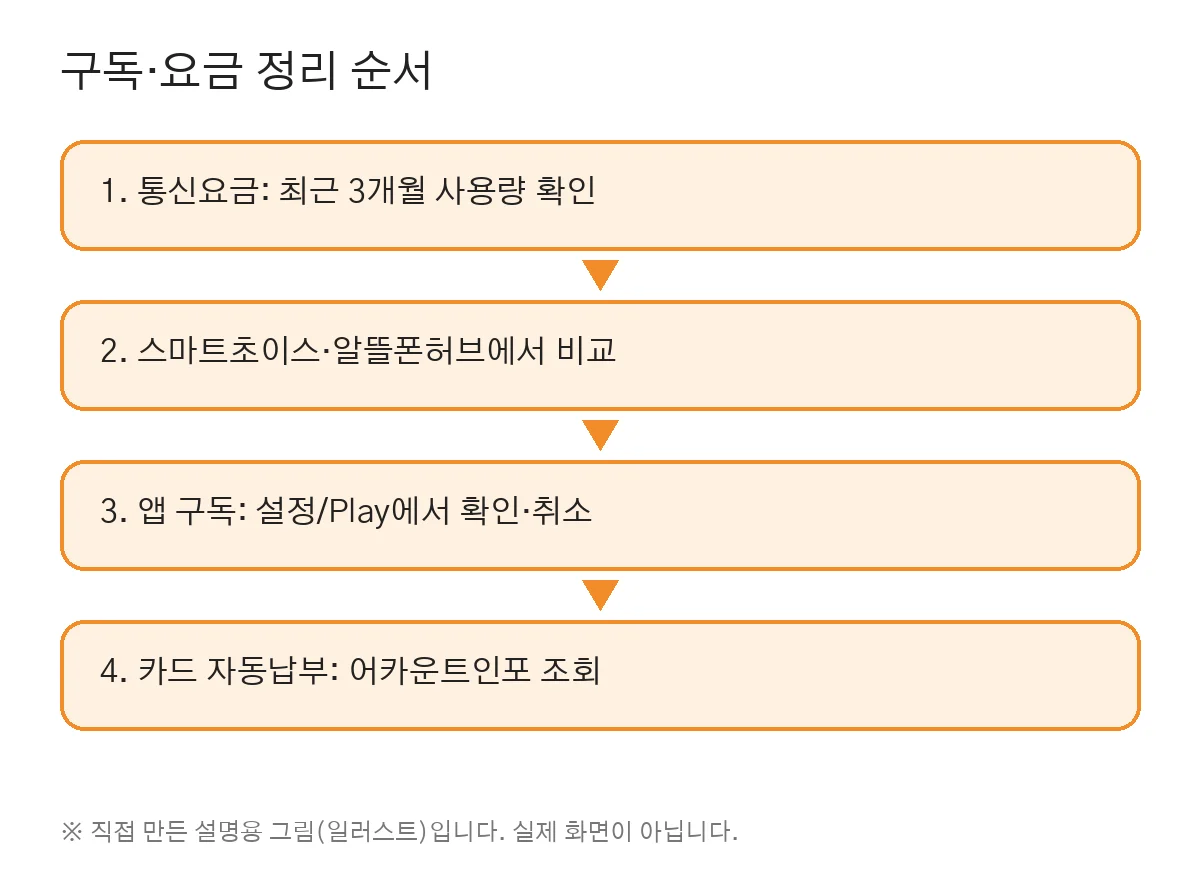
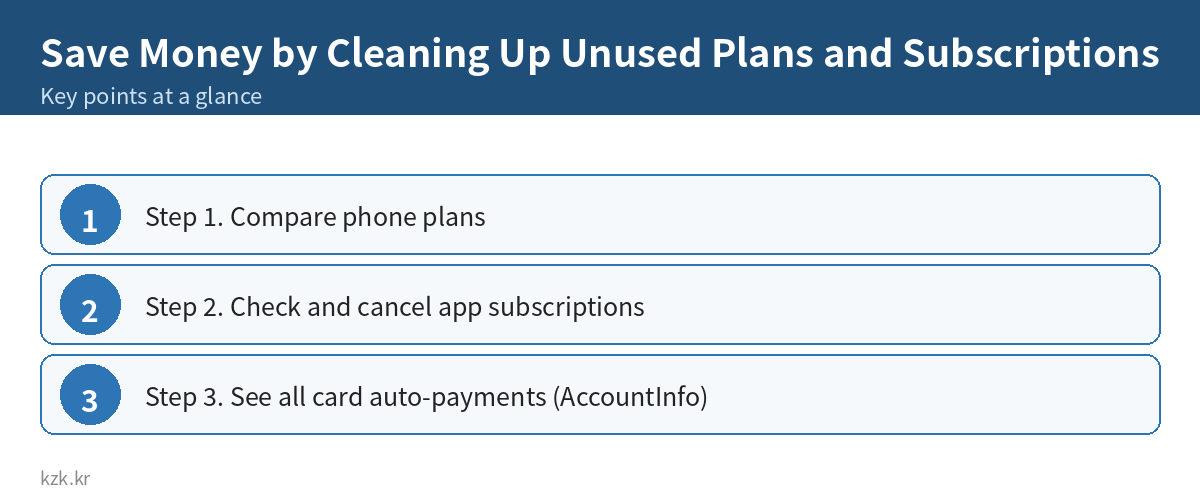
Step 1. Compare phone plans
- Smart Choice (telecom rate portal): plan recommendations and device subsidy lookups. Pick a data range (3–6GB, 7–15GB, unlimited, etc.) to see matching plans. It suggests checking your last 3 months’ average usage first.
- MVNO Hub (run by KAIT): plans from 22 budget (MVNO) carriers in one place, searchable by data/voice/text use, desired price and network type. It also lists unlocked and used phones.
- When buying a new phone you can choose either the device subsidy or the 25% selective-contract discount, not both. Compare on Smart Choice.
- Signing up follows each carrier’s process after identity verification.
Step 2. Check and cancel app subscriptions
iPhone/iPad (Apple official help)
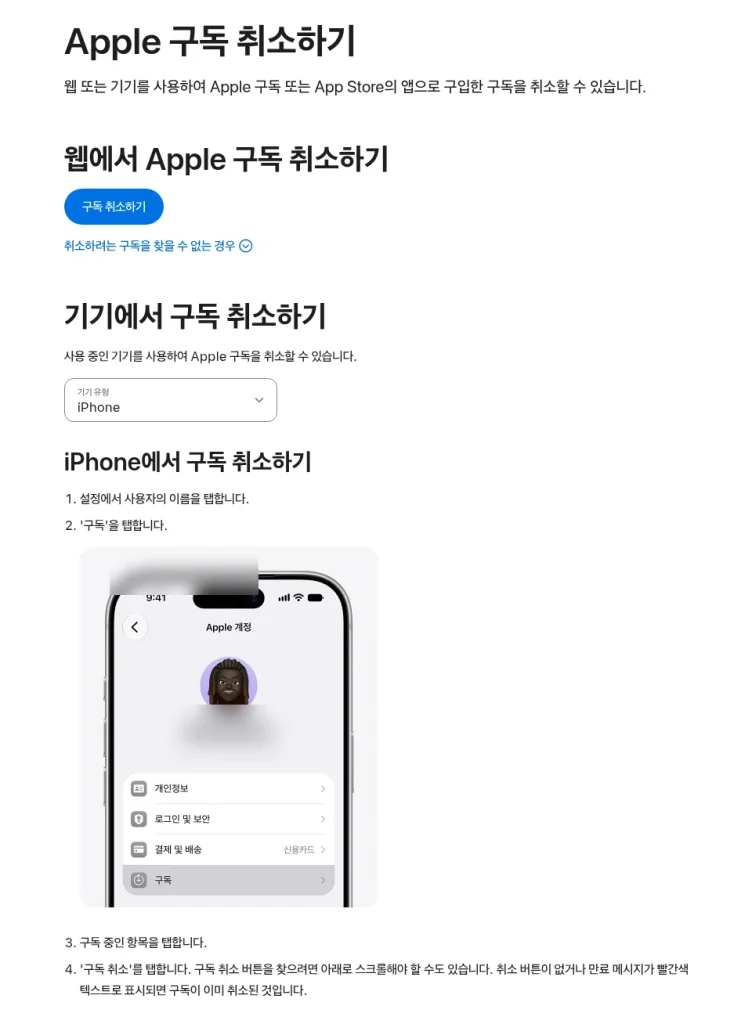
1. Settings → tap your name
2. Tap “Subscriptions”
3. Tap the subscription → “Cancel Subscription”
- No cancel button, or an expiry message in red, means it’s already canceled.
- Cancel free trials at least 24 hours before they end.
- Not listed? Search your email for “Apple receipt” to find which account was used. If none, another company may be billing you.
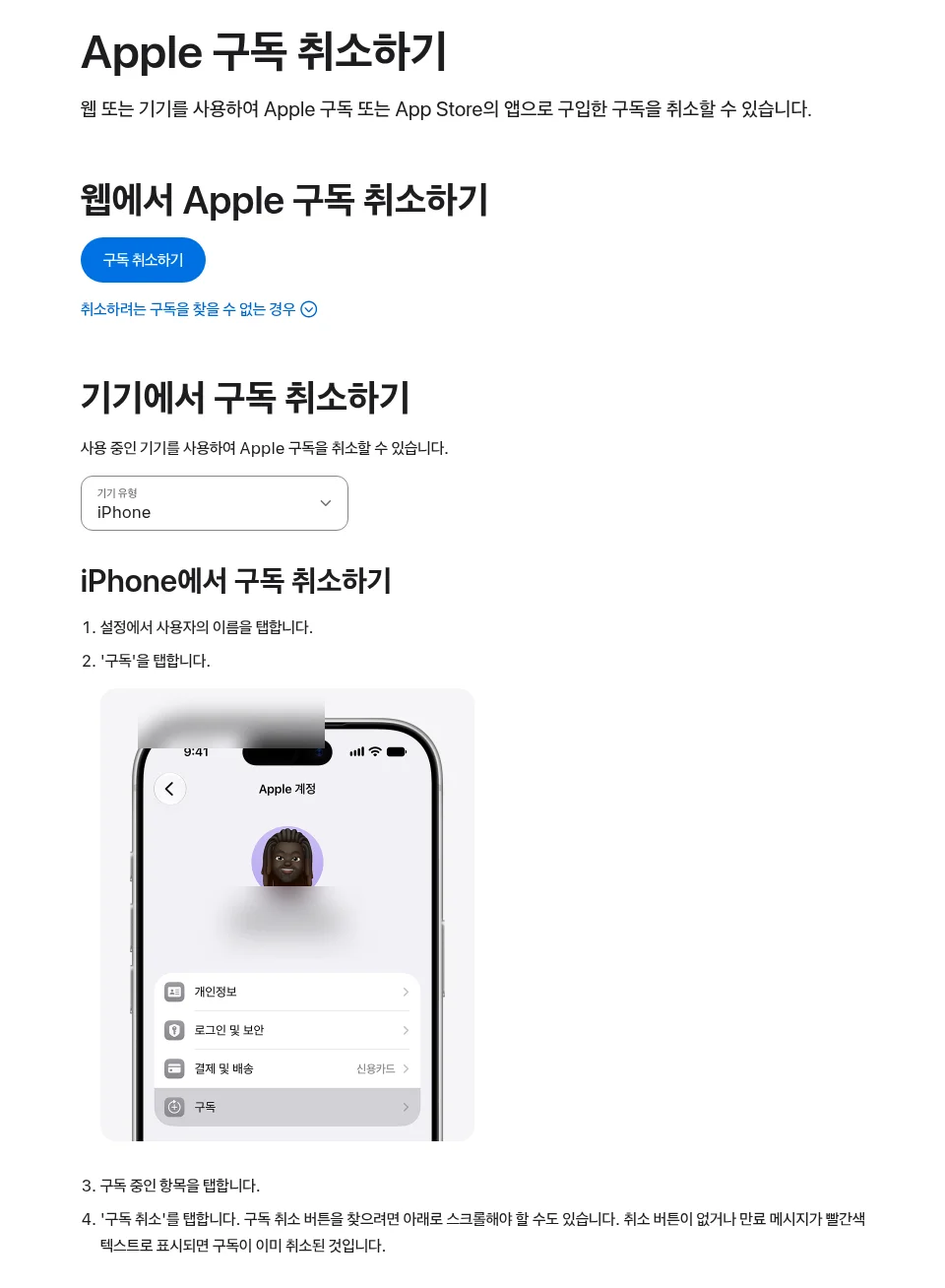
Apple Support page. The sample name and email are blurred.
Android (Google Play official help)
1. Go to Google Play subscriptions
2. Select the subscription → “Cancel subscription”
3. Follow the instructions
- Uninstalling the app does not cancel the subscription.
- After canceling, you keep access until the period ends.
- Not listed? You may have paid with another Google account.
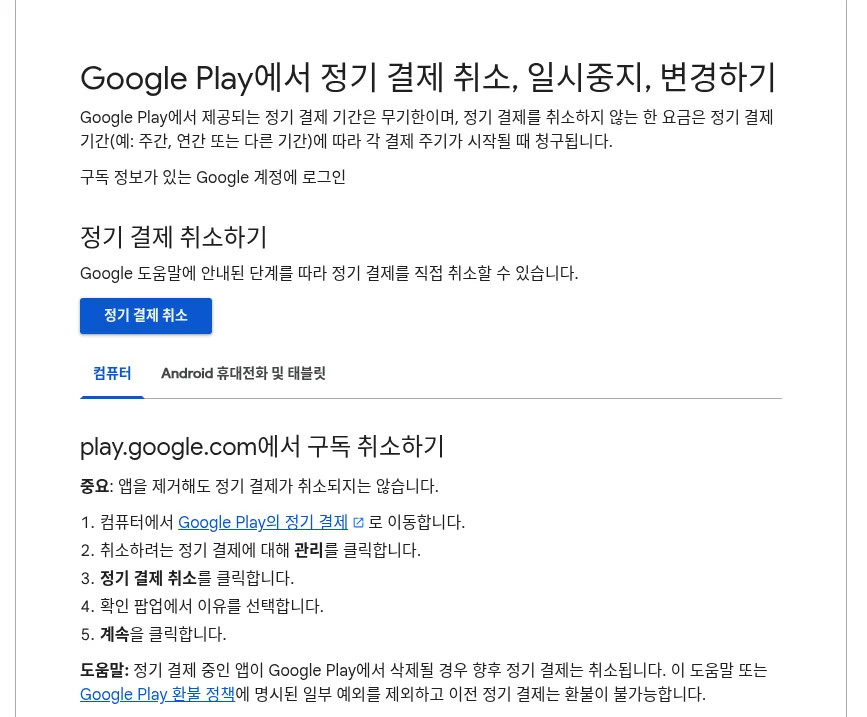
Google Play Help Center page.
Step 3. See all card auto-payments (AccountInfo)
Based on the KFTC “auto-payment integrated management” (AccountInfo) guide.
- Menu: Card auto-payment management → Card auto-payment lookup
- The lookup happens after consent and a certificate login.
- Cancel via “Card auto-payment cancellation.” Telecom bills take a few days (check the result after 3 business days); others are processed immediately.
- Official note: check carefully so canceling doesn’t cut off a service you need or cause late payments.
Common mistakes
- Deleting the app but keeping the subscription
- Trying to cancel a trial on its last day
- Canceling auto-pay for a service you still use
- Changing plans without checking usage
Checklist
- ☐ Checked last 3 months’ data/call usage
- ☐ Compared on Smart Choice / MVNO Hub
- ☐ Reviewed iPhone / Play subscriptions
- ☐ Checked card auto-payments on AccountInfo
- ☐ Made sure canceling won’t cause late payments
For more money you may be missing, see our guide to finding hidden money.
We also have a $4.99 PDF guide that collects more everyday money-saving tips. Take a look if it’s useful →
FAQ
Is Save Money by Cleaning Up Unused Plans and Subscriptions a legit way to make money?
Yes, it is legal and used worldwide. Written on 2026-10-26 after checking the public help pages of Apple and Google Play and the public guides of Smart Choice, KAIT's MVNO Hub and KFTC AccountInfo. No plan was changed, nothing was canceled and no logged-in screens were viewed. The sample name and email in Apple's help image are blurred. Plan prices change daily and are left out. Nothing here promises income. Results depend on your time, skills and consistency; never pay upfront fees to unknown "opportunities".
What are the main pros and cons of Save Money by Cleaning Up Unused Plans and Subscriptions?
Pros: People unsure whether their phone plan fits their usage, People who may have forgotten app subscriptions after a free trial, People who want to see all card auto-payments at once. Cons: Smart Choice (telecom rate portal): plan recommendations and device subsidy lookups. Pick a data range (3–6GB, 7–15GB, unlimited, etc.) to see matching plans. It suggests checking your last 3 months' average usage first., MVNO Hub (run by KAIT): plans from 22 budget (MVNO) carriers in one place, searchable by data/voice/text use, desired price and network type. It also lists unlocked and used phones., When buying a new phone you can choose either the device subsidy or the 25% selective-contract discount, not both. Compare on Smart Choice., Signing up follows each carrier's process after identity verification..
How do I start Save Money by Cleaning Up Unused Plans and Subscriptions step by step?
The full step-by-step guide is free to read on this page.
🎁 Free: 7-day side-hustle starter checklist
Leave your email and get the free checklist now. No spam, unsubscribe anytime.
Popular guides
- Top 10 Ways to Make Money Starting This Week (Free Checklist)
- How to Make Money as a Student: Legit Ideas (2026)
- Passive Income Ideas: Realistic Options for 2026
- Make Money Online Without Investment: 20 Free Ways
- How to Make Money with AI: 50 Practical Ways (2026)
- How to Make Money From Home: 20 Legit Ways
- Make Money Online for Beginners: 15 Easy Ways to Start
- How to Make Money as a Mom: 16 Flexible Ideas (Work Around Nap Time)
- 16 Legit Ways to Make Money Fast (This Week)
- How to Make Money as a Teenager: 16 Safe Ideas
- 14 Remote Jobs With No Experience Needed
Next method: Saving on Shipping for Secondhand Sales (Official Convenience-Store Rates) →