Path
At a glance
Contents
Written on 2026-10-26 after checking each tool’s public pages. This guide uses text and a self-made diagram instead of tool screenshots. Features and limits can change, so re-check before use. Nothing here promises income.
A simple flow for clean product photos for secondhand or online-store listings, using free tools with no sign-up.
Who this is for
- People who find photo-editing apps hard
- Sellers with messy photo backgrounds
- People whose photos are too large to upload
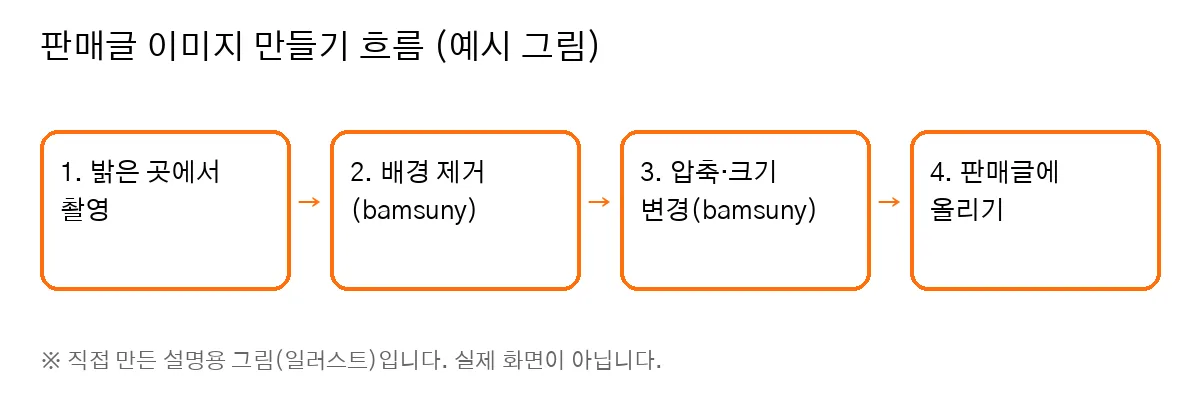
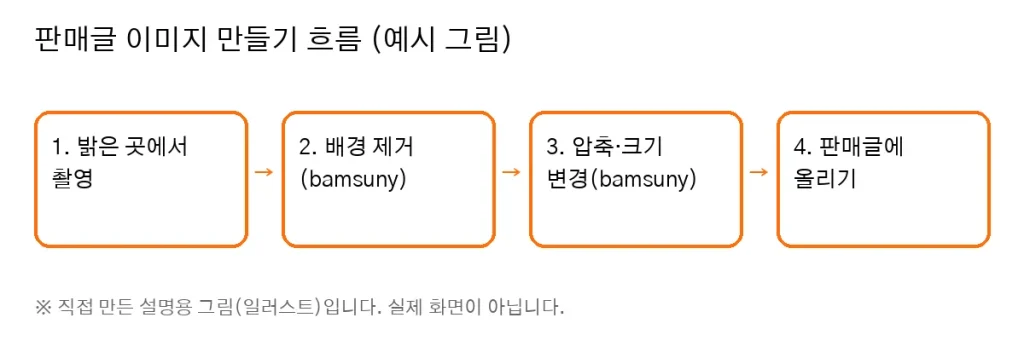
Self-made illustration, not a real screen.
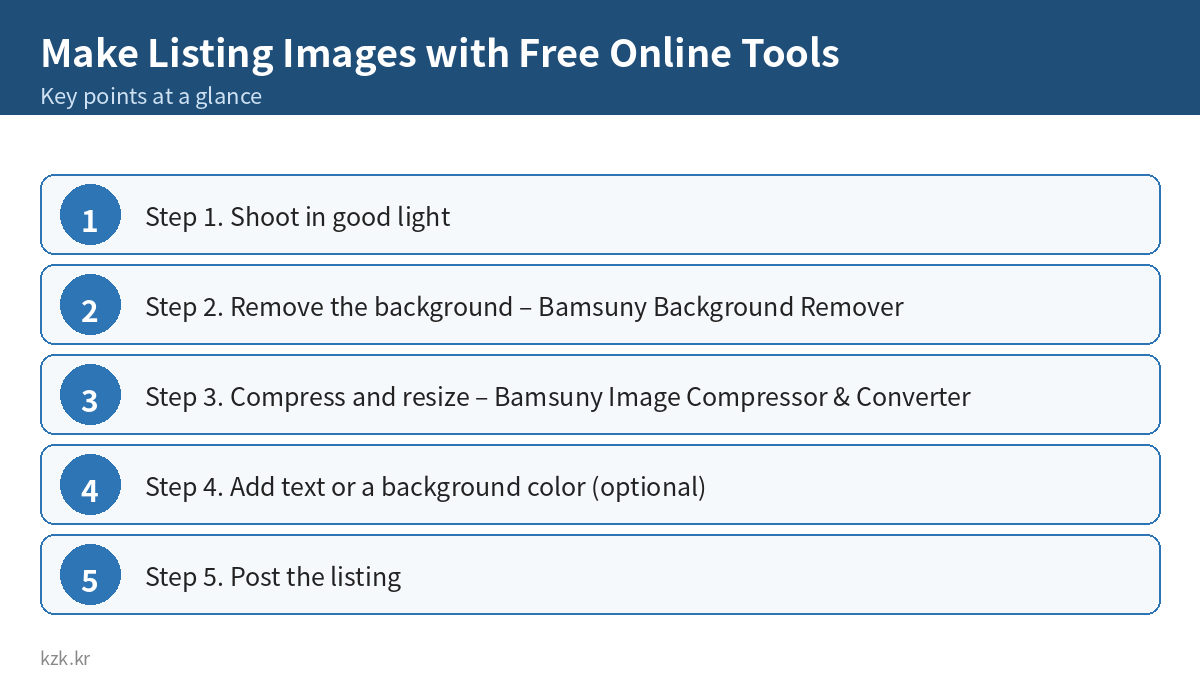
Step 1. Shoot in good light
- Window daylight is easiest.
- A plain background (white paper, a wall) makes the next step easier.
- Take separate close-ups of any scratches.
Step 2. Remove the background – Bamsuny Background Remover
Tool: Bamsuny Remove Background
1. Open the page and upload a photo. No account needed.
2. JPG, PNG or WEBP up to 15 MB.
3. The background is removed automatically; download a transparent PNG.
– Per the site: an open-source model (U²-Net via rembg) runs on their server; files are deleted right after processing and leftovers within 1 hour.
📝 Screen description (text)
The page shows the title “✂️ Remove Image Background Free Online”, an upload area and an FAQ.
Step 3. Compress and resize – Bamsuny Image Compressor & Converter
Tool: Bamsuny Image Compressor
1. Upload a photo (up to 15 MB).
2. Pick a quality value. The site says 75–85 is usually a good balance for photos.
3. Resize or convert between JPG, PNG and WEBP if needed.
4. EXIF data such as GPS location is removed from the output.
📝 Screen description (text)
The page title is “🖼️ Compress, Resize & Convert Images (JPG, PNG, WEBP)”.
Step 4. Add text or a background color (optional)
- Free design tools such as Miricanvas or Canva (check each service’s free tier), or your phone’s built-in editor.
- Keep text short: model name and condition.
Step 5. Post the listing
- First photo: the whole item.
- Always include scratch photos. Removing a background must not change the item’s real condition.
Common mistakes
- Uploading with edges of the item cut off by background removal
- Hiding scratches or color with edits → disputes
- Using other people’s photos or official product images
- Uploading originals that still contain location (EXIF) data
- Too much text
Checklist
- ☐ Shot in good light on a plain background
- ☐ Checked edges after background removal
- ☐ Using compressed files with EXIF removed
- ☐ Included scratch photos
- ☐ Only my own photos
More practical selling guides, whenever you’re ready → kzk Premium
FAQ
Is Make Listing Images with Free Online Tools a legit way to make money?
Yes, it is legal and used worldwide. Written on 2026-10-26 after checking each tool's public pages. This guide uses text and a self-made diagram instead of tool screenshots. Features and limits can change, so re-check before use. Nothing here promises income. Results depend on your time, skills and consistency; never pay upfront fees to unknown "opportunities".
What are the main pros and cons of Make Listing Images with Free Online Tools?
Pros: People who find photo-editing apps hard, Sellers with messy photo backgrounds, People whose photos are too large to upload. Cons: Window daylight is easiest., A plain background (white paper, a wall) makes the next step easier., Take separate close-ups of any scratches..
How do I start Make Listing Images with Free Online Tools step by step?
The full step-by-step guide is free to read on this page.
🎁 Free: 7-day side-hustle starter checklist
Leave your email and get the free checklist now. No spam, unsubscribe anytime.
Popular guides
- Top 10 Ways to Make Money Starting This Week (Free Checklist)
- How to Make Money as a Student: Legit Ideas (2026)
- Passive Income Ideas: Realistic Options for 2026
- Make Money Online Without Investment: 20 Free Ways
- How to Make Money with AI: 50 Practical Ways (2026)
- How to Make Money From Home: 20 Legit Ways
- Make Money Online for Beginners: 15 Easy Ways to Start
- How to Make Money as a Mom: 16 Flexible Ideas (Work Around Nap Time)
- 16 Legit Ways to Make Money Fast (This Week)
- How to Make Money as a Teenager: 16 Safe Ideas
- 14 Remote Jobs With No Experience Needed
Next method: How to Make Money Selling Stock Photos from Your Smartphone →