Path
At a glance
Contents
Written on 2026-10-26 after checking Aladin’s public help pages and buyback search. Buyback prices change in real time; amounts shown are examples only. Some YES24 and Kyobo details could not be checked directly and are marked “unverified”. Nothing here promises income.
If old books are piling up, Korean online bookstores will buy them back. This guide focuses on Aladin’s “알라딘에 중고 팔기” (Sell used to Aladin), with short notes on YES24 Buyback and Kyobo. Buyback prices change in real time; numbers below are examples checked on 2026-10-26.
Who this suits
- People clearing out books they have finished
- People who don’t want to post listings and negotiate
- People who want tidy shelves plus a small payout, not big money
Step 1. Check the buyback price (no login needed)
Enter the ISBN from the back cover in Aladin’s “Sell used to Aladin” search.
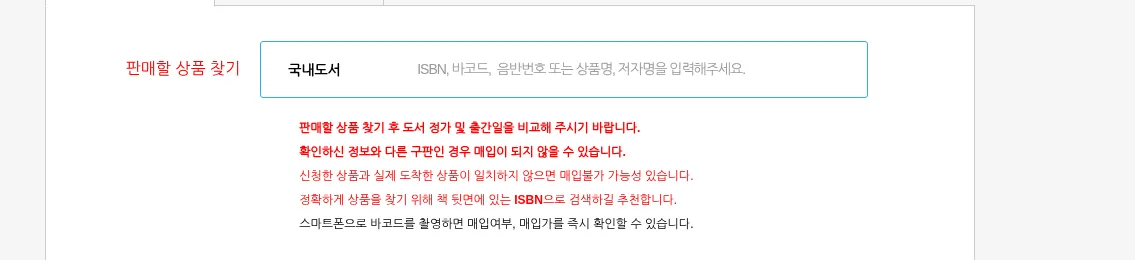
Aladin recommends ISBN search so you don’t confuse editions. Older editions with a different list price or date may be rejected.
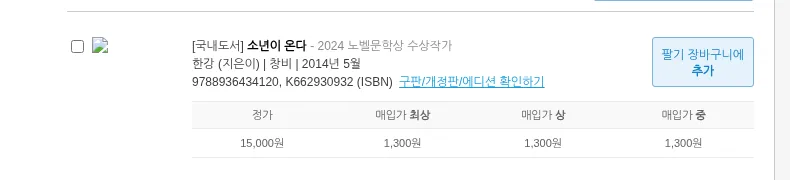
Example: “Human Acts” (list price 15,000원) showed 1,300원 for all three grades at check time. Books Aladin already stocks heavily can get a low flat price like this.
Step 2. How the price is set
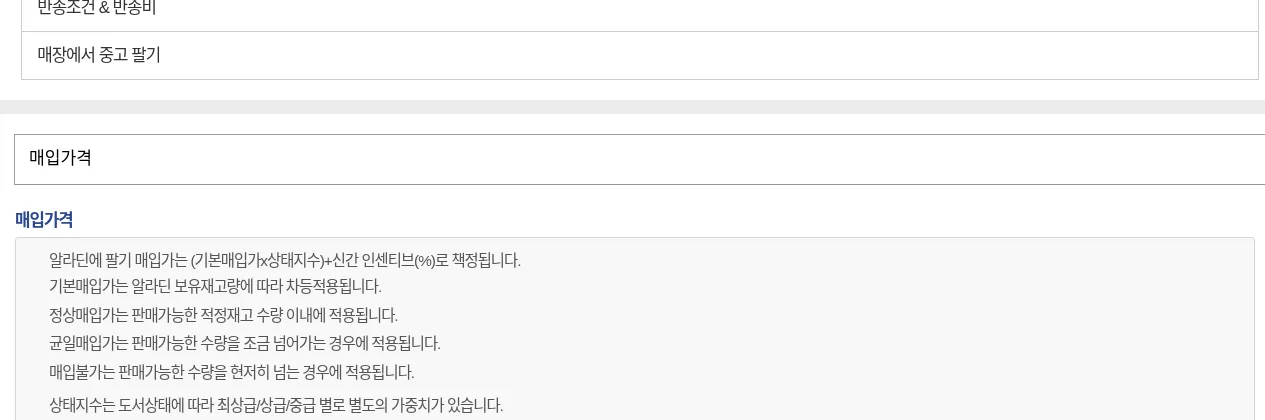
- Price = (base price × condition index) + new-release incentive
- The base price depends on Aladin’s stock level.
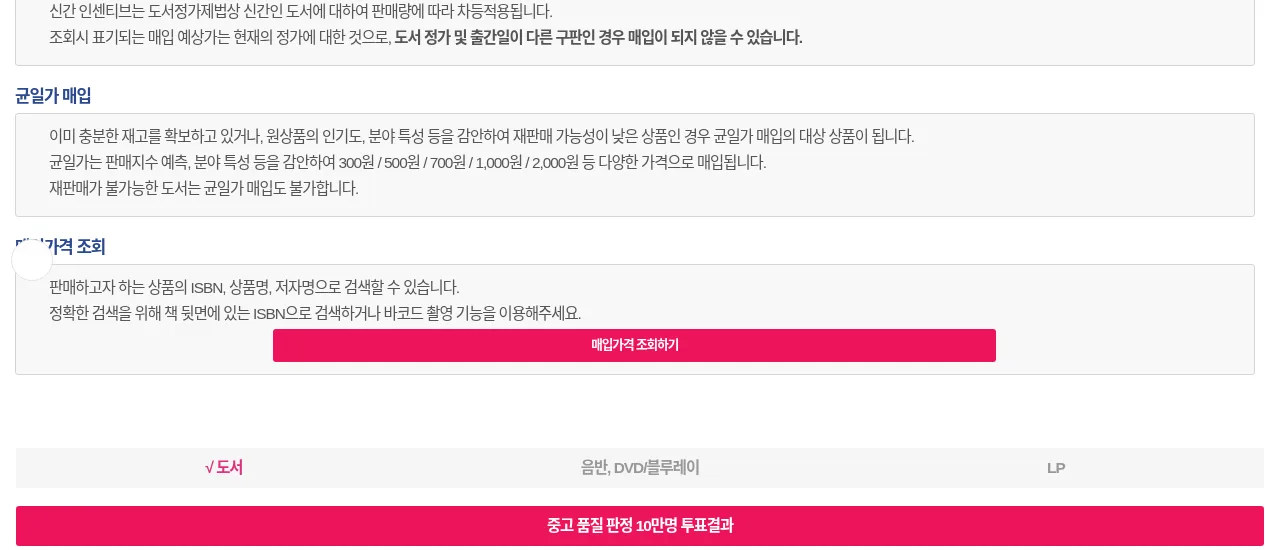
- With high stock, Aladin pays flat prices such as 300 / 500 / 700 / 1,000 / 2,000원.
Step 3. Check the condition grade
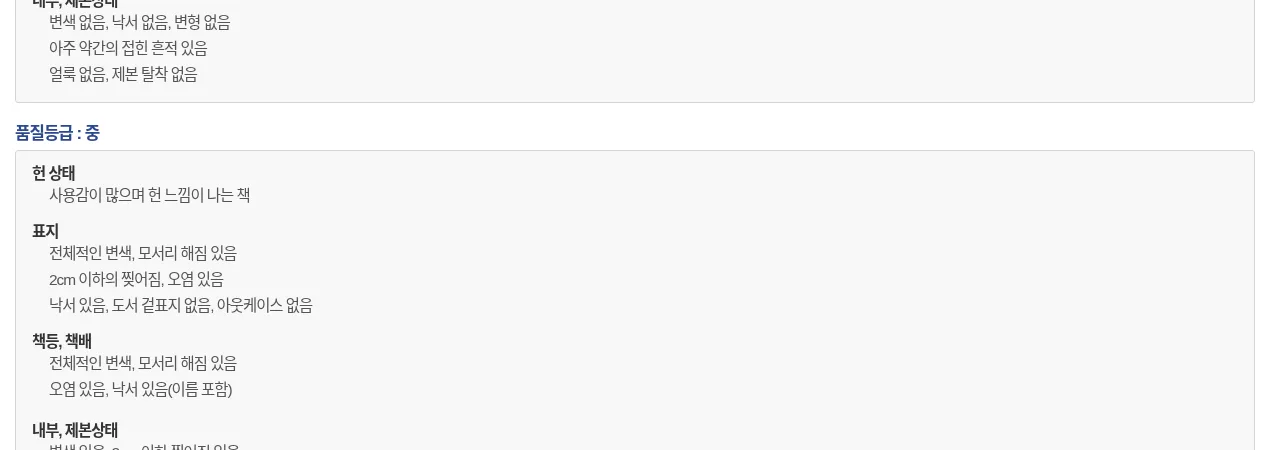
Grades are 최상 (like new), 상 (good) and 중 (fair). Not accepted (per Aladin help):
– Tears or stains over 2cm, writing on more than 5 pages
– Calendars, diaries, children’s sets, study guides, outdated exam/computer books, most magazines
– Study books missing supplements; list price under 2,500원
– Library or rental stickers, not-for-sale or complimentary copies
– Items not in Aladin’s catalog or with a mismatched ISBN
Step 4. Apply and ship
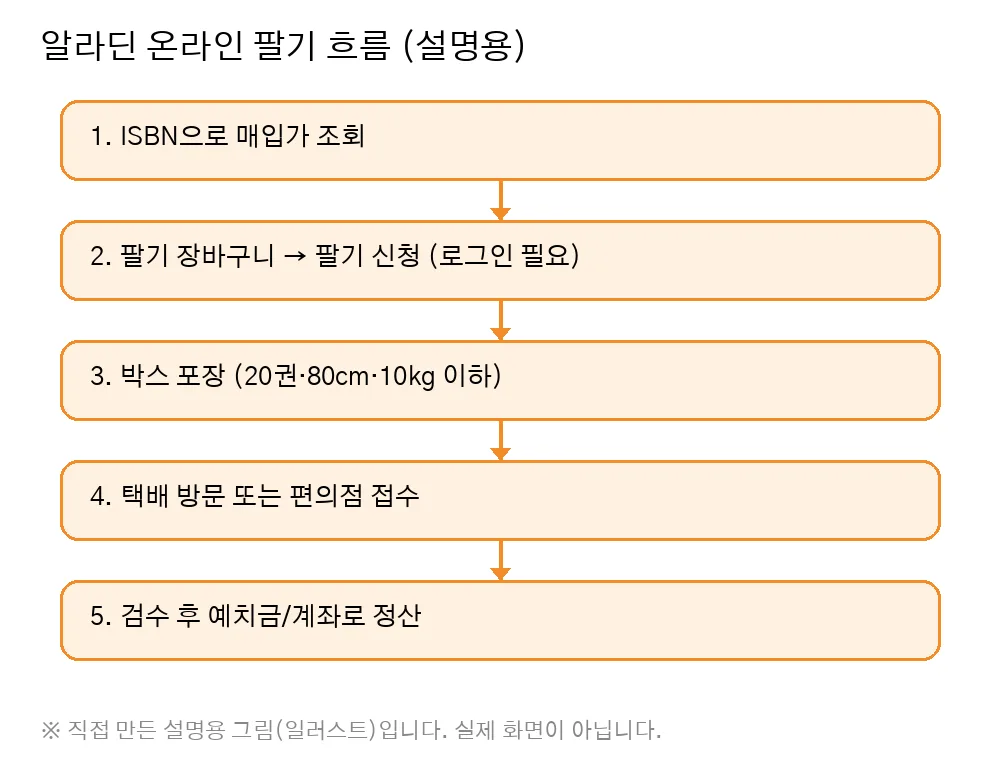
📝 Logged-in screen (text description)
After adding books to the sell cart, “팔기 신청” (apply to sell) requires login. On that screen you choose shipping (courier pickup or convenience store), payout (deposit balance or bank account) and what to do with rejected items, confirm your address, and submit. I did not log in, so no screenshot is shown.
- Up to 20 books per request and per box; box sides total 80cm or less, 10kg or less
- Courier pickup: 1,500원 per box, free if the box sells for 10,000원+; pickup within 1–2 business days; auto-cancels after 30 days
- Convenience store (GS25, CU, emart24): 3,000원 per box, or 1,700원 if 10,000원+; drop off within 1 week
- Shipping is deducted at settlement.
- Selling more than 5 copies of one title triggers a purchase-source check.
Step 5. Payout
- After inspection you receive Aladin deposit balance or a transfer to your own bank account.
- Selling in a store requires phone identity verification.
Quick comparison
- YES24 Buyback: search by ISBN, ship by designated courier or convenience store, paid as deposit or YES Points. YES24 reportedly says (unverified: read from a search index, the YES24 site itself could not be opened) “up to 50% of list price”, “free shipping on sales of 15,000원+ (designated courier)”, and “10% extra if paid in YES Points (may change)”. Returned rejected items reportedly cost you 1,500원 (unverified).
- Kyobo: reported to work as a member-to-member marketplace rather than a store buyback (unverified: no official page confirmed).
- Aladin member-to-member: you set the price and sell to other members (10% commission).
Common mistakes / rejection reasons
- Shipping an old edition after checking the new edition’s price
- Box contents don’t match the request
- Missing CD or answer booklet
- Your name written in the book (reportedly not accepted at YES24, unverified)
- Shipping costing more than the books (e.g., one 1,300원 book)
Checklist
- ☐ Checked price by ISBN
- ☐ Confirmed list price and date match my copy
- ☐ Checked tears, writing, stickers
- ☐ Box within 20 books / 80cm / 10kg
- ☐ Box total 10,000원+ to save on shipping
- ☐ Chose payout method
For pricing other secondhand items, see our used item pricing guide.
For more step-by-step side-project guides, feel free to look at kzk.kr Premium.
FAQ
Is How to Make Money Selling Used Books Online in Korea (Aladin Buyback) a legit way to make money?
Yes, it is legal and used worldwide. Written on 2026-10-26 after checking Aladin's public help pages and buyback search. Buyback prices change in real time; amounts shown are examples only. Some YES24 and Kyobo details could not be checked directly and are marked "unverified". Nothing here promises income. Results depend on your time, skills and consistency; never pay upfront fees to unknown "opportunities".
What are the main pros and cons of How to Make Money Selling Used Books Online in Korea (Aladin Buyback)?
Pros: People clearing out books they have finished, People who don't want to post listings and negotiate, People who want tidy shelves plus a small payout, not big money. Cons: Price = (base price × condition index) + new-release incentive, The base price depends on Aladin's stock level..
How do I start How to Make Money Selling Used Books Online in Korea (Aladin Buyback) step by step?
The full step-by-step guide is free to read on this page.
🎁 Free: 7-day side-hustle starter checklist
Leave your email and get the free checklist now. No spam, unsubscribe anytime.
Popular guides
- Top 10 Ways to Make Money Starting This Week (Free Checklist)
- How to Make Money as a Student: Legit Ideas (2026)
- Passive Income Ideas: Realistic Options for 2026
- Make Money Online Without Investment: 20 Free Ways
- How to Make Money with AI: 50 Practical Ways (2026)
- How to Make Money From Home: 20 Legit Ways
- Make Money Online for Beginners: 15 Easy Ways to Start
- How to Make Money as a Mom: 16 Flexible Ideas (Work Around Nap Time)
- 16 Legit Ways to Make Money Fast (This Week)
- How to Make Money as a Teenager: 16 Safe Ideas
- 14 Remote Jobs With No Experience Needed
Next method: Make Listing Images with Free Online Tools →