How to Make Money

Category: Printables & Templates

  • Large Print Puzzles for Seniors: Sudoku and Word Search That Are Easy on the Eyes

    Large Print Puzzles for Seniors: Sudoku and Word Search That Are Easy on the Eyes

    Big numbers, answers included: 50 printable sudoku (20 easy · 20 medium · 10 a bit hard) in one PDF.

    $9.00 USD

    Get the Large-Print Sudoku (50 puzzles) →

    Instant download · card or PayPal · details & preview

    Sudoku and word search are two of the easiest puzzles to print at home. The trouble is size: most puzzle books use small grids and thin numbers. This guide shows what “large print” means, how to pick the right puzzle, and how to print pages that are easy on the eyes.
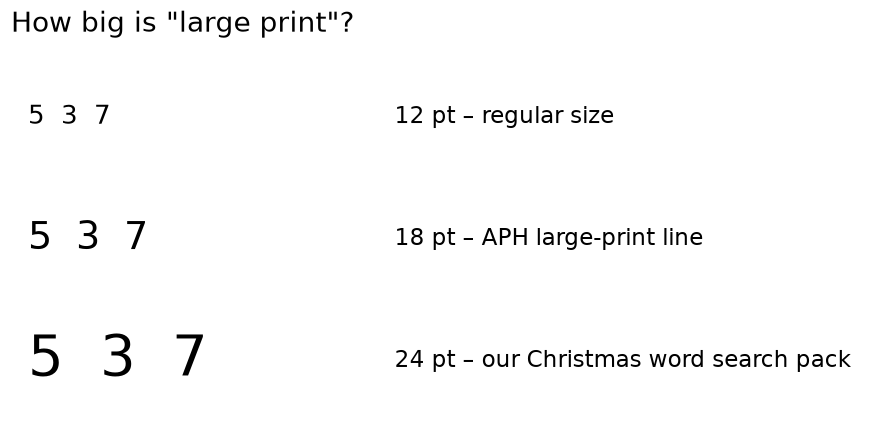
    How big is large print

    1. What counts as “large print”?

    The American Printing House for the Blind (APH) uses 18 point as the large-print line for its textbooks (APH). APH also suggests plain light paper and avoiding all-caps blocks of text (APH tips). For puzzles, the numbers or letters sit in small boxes, so going bigger than 18 pt and leaving more white space helps.

    2. Sudoku or word search?

    Large print sudoku Large print word search
    What you do Fill a grid so each row, column and box has 1–9 once Find hidden words in a letter grid
    Good for People who like numbers and logic People who like words and themes
    Start with Easy boards, or a smaller 4×4 / 6×6 grid Short word lists, no backwards words
    Needs A pencil and eraser A marker or highlighter

    Sudoku rules: each row, column and 3×3 box holds every digit 1–9 exactly once (Wikipedia).
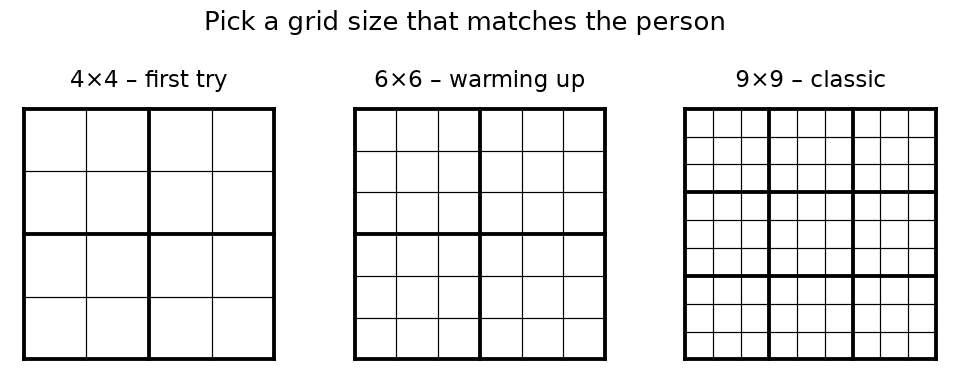
    Grid sizes

    3. Make your own sample page (5 minutes)

    1. Open a blank document and insert a 9×9 table (or 6×6 for a first try).
    2. Set a plain font at 24 pt or bigger. Make the 3×3 box borders thicker.
    3. For sudoku: copy an easy puzzle and leave more numbers filled in than usual.
    4. For word search: hide 8 short words left-to-right or top-to-bottom only.
    5. Print one page and check it from arm’s length before printing more.

    4. Printing tips

    • Use plain light paper and dark ink for strong contrast.
    • Choose “fit to page” so the grid fills the sheet (A4 or US Letter).
    • Give a soft pencil for sudoku and a thick marker for word search.
    • One page a day is plenty. Stop while it is still fun.

    5. A word of honesty about “brain training”

    Puzzles are fun, but don’t treat them as medicine. In the long-running ACTIVE study, the U.S. National Institute on Aging reports no difference in memory performance between the memory-training group and the control group after 10 years (NIA). A 20-year follow-up found only a speed-training program with booster sessions was linked to lower dementia risk (PubMed). Do puzzles for enjoyment and time together.

    6. FAQ

    What font size is best for seniors’ puzzles? APH treats 18 pt as large print; for puzzles many people prefer 24 pt or larger. Print a test page and ask.

    Is sudoku too hard to start with? Start with easy boards (more given numbers) or a 6×6 grid.

    Can I print the same page again? If you made it yourself, yes. For bought files, check the seller’s terms.

    Do puzzles prevent dementia? The studies above do not show that. Enjoy them as a hobby.

    Related reads

    Sources

    • APH large print (18 pt): https://www.aph.org/large-print-request-form/
    • APH accessibility tips: https://www.aph.org/accessibility-tips/
    • Sudoku rules: https://en.wikipedia.org/wiki/Sudoku
    • NIA, ACTIVE 10-year: https://www.nia.nih.gov/news/cognitive-training-shows-staying-power
    • ACTIVE 20-year (PubMed): https://pubmed.ncbi.nlm.nih.gov/41669119/
  • Gantt Chart Template in Excel: Build One Step by Step (Bars That Move Themselves)

    Gantt Chart Template in Excel: Build One Step by Step (Bars That Move Themselves)

    Skip the setup: a 12-week Excel / Google Sheets file where bars color themselves when you type dates.

    $4.49 USD

    Get the Gantt Excel Template →

    Instant download after payment · Free Gantt chart maker

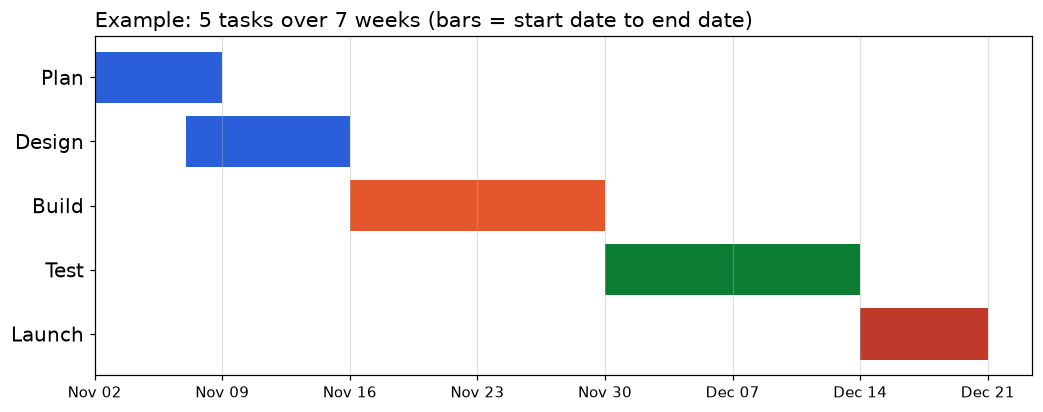
    A Gantt chart is a schedule drawn as bars: tasks go down the left, dates go across the top, and each bar runs from a task’s start date to its end date. Excel has no built-in “Gantt” chart type, so you either bend a bar chart or color cells. This guide shows both, step by step.

    Example Gantt chart

    1. Two ways to make a Gantt chart in Excel

    Method How it works When dates change
    Stacked bar chart Microsoft’s method: a stacked bar chart with the first series hidden (Microsoft Support) You may need to fix the axis again
    Conditional formatting Each cell in a week column turns colored if it falls between start and end Bars move by themselves

    2. Step by step: the conditional formatting method

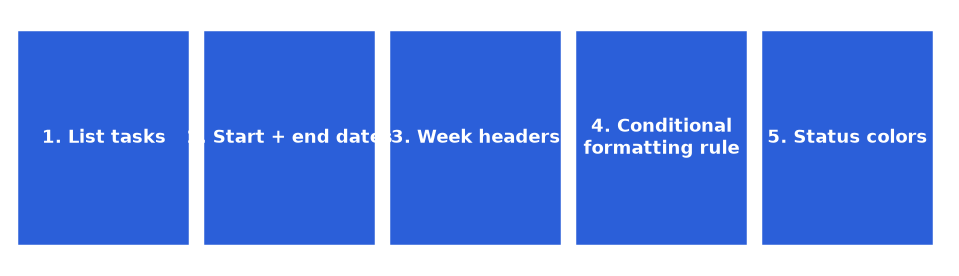
    Five steps

    1. List tasks: column A = task, B = start date, C = end date.
    2. Duration: in D2 type =C2-B2+1 and fill down.
    3. Week headers: put the project start date in E1. In F1 type =E1+7 and fill right for 12 columns.
    4. Draw the bars: select E2 to the bottom-right of your grid → Home › Conditional Formatting › New Rule › Use a formula → =AND(E$1+6>=$B2, E$1<=$C2) → pick a fill color.
    5. Status colors: add a status column with Data › Data Validation › List (Not started, In progress, Done, Late) and one more rule per status color.
    6. This week marker (optional): a rule with =AND(E$1<=TODAY(), TODAY()<E$1+7) and a bold border.

    The same formulas work in Google Sheets (Format › Conditional formatting › Custom formula).

    3. The bar chart method in short

    Microsoft’s guide: select task, start date and duration → insert a stacked bar chart → set the first series to “No fill” → reverse the task order and set the axis minimum to your start date (Microsoft Support). It looks nice, but the axis is a fixed number, so moving the project start means editing it again.

    4. Common mistakes

    • End date before start date: no bar appears. Check that duration is 1 or more.
    • Day-long tasks in a weekly grid: the whole week gets colored. Use day columns for short tasks.
    • Too many colors: 4–5 status colors are enough.
    • Mixed-up references: keep the $ signs exactly as above (E$1, $B2).

    5. Free templates vs a ready file

    Free templates are popular: Vertex42 says its Excel Gantt template has “over 3 million downloads” (Vertex42). If you’d rather not build rules yourself, compare options in our free vs paid Gantt template guide, or sketch a chart first with the free online Gantt tool (screen in Korean, no sign-up).

    6. FAQ

    Does Excel have a Gantt chart template? There is no Gantt chart type; Microsoft shows a stacked bar method instead.

    How do I make the bars update automatically? Use the conditional formatting rule in step 4. Change a date and the color moves.

    Does it work in Google Sheets? Yes, with Custom formula in conditional formatting.

    How many tasks can I track? As many rows as you like; for readability, many people keep one screen of tasks per sheet.

    Sources

    • Microsoft Support – Gantt chart in Excel: https://support.microsoft.com/en-us/office/present-your-data-in-a-gantt-chart-in-excel-f8910ab4-ceda-4521-8207-f0fb34d9e2b6
    • Vertex42 Excel Gantt template: https://www.vertex42.com/ExcelTemplates/excel-gantt-chart.html
How to Make Money
Add to Home Screen