Path
Contents
Written on 2026-10-26 after checking Danggeun’s official help center. Better photos make listings easier to understand; they don’t promise a sale. App screens may change. Screenshots show the Korean help center.
Who this is for
- Anyone with unused items and only a phone
- Sellers whose posts get few chats
- People who want to try it today with no gear
1. Before you post: can you sell it?
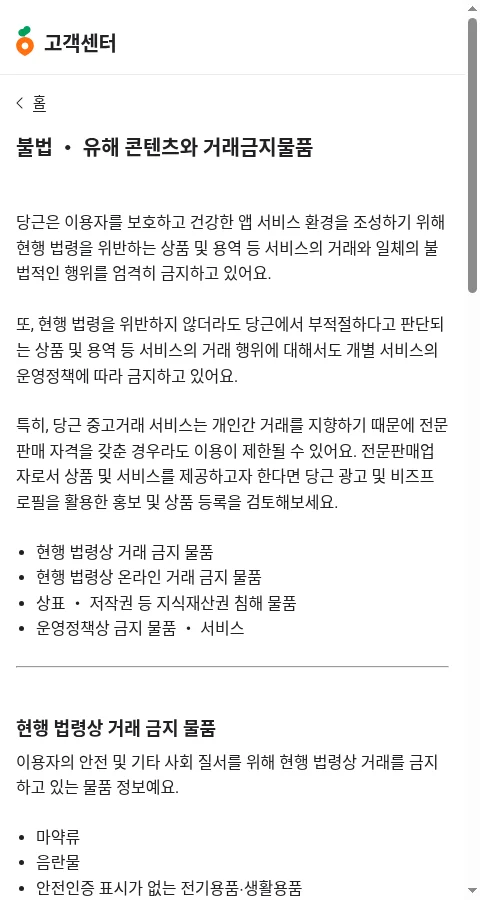
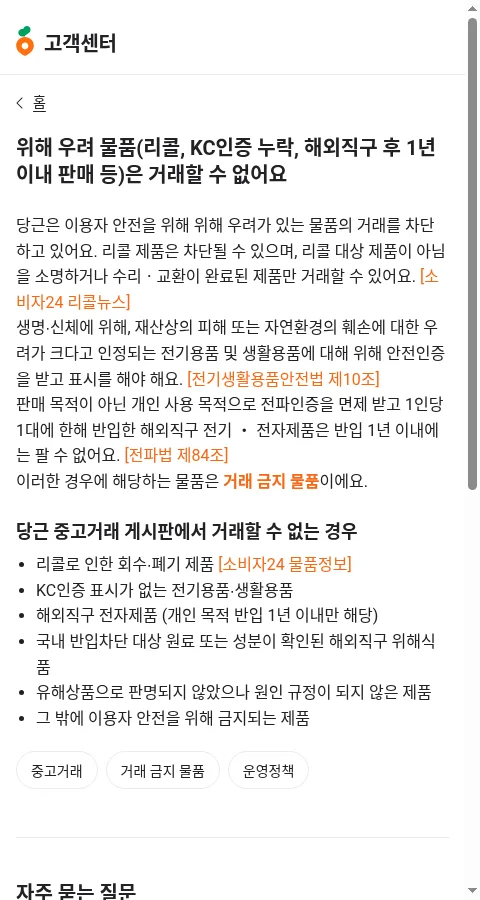
Per Danggeun’s help center, these can’t be traded (partial list):
– Banned by law: drugs, obscene material, electrical/household goods without safety (KC) marks, government-issued vouchers (e.g., local gift certificates), military/police items, firearms/blades/explosives, unlicensed food or cosmetics, cosmetic samples
– Banned online: alcohol, tobacco, medicine, contact lenses, prescription glasses
– IP infringement: counterfeits, illegal copies or mods
– Banned by policy: selling live animals, ticket scalping, giveaways with conditions
– Risky items: recalled products; personally imported electronics within 1 year of import
– Blood-donation certificates and free invitations: giveaway only
2. Adding photos (app screens described in text)
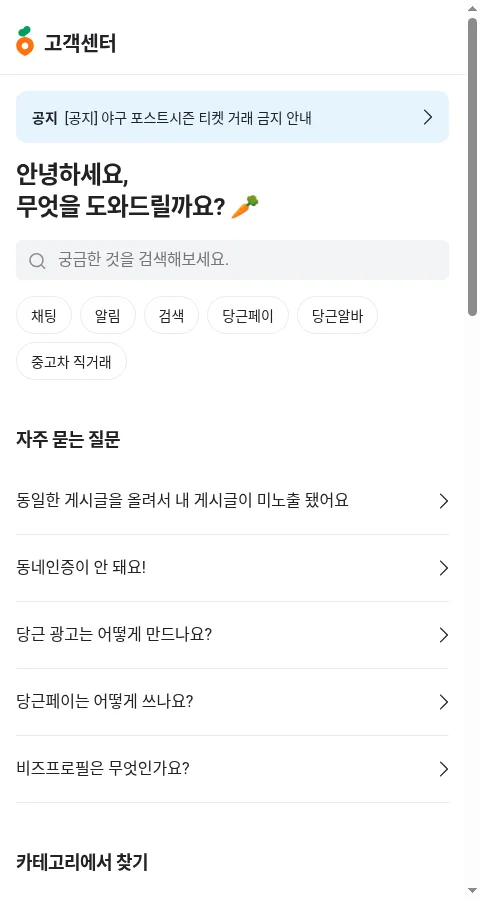
- Home → ‘+ 글쓰기’ or ‘+’ → 내 물건 팔기 (Sell my item)
- Tap the camera icon.
- Choose ‘앨범에서 선택’ (from gallery) or ‘카메라 촬영’ (take photo).
- Long-press and drag a photo to reorder. Put your best shot first (the feed usually shows the first photo; not stated explicitly for used-goods posts in the official FAQ).
- Tap X on a photo to remove it.
📝 App screen (text description): The write screen shows a camera icon and a row of photo thumbnails at the top, then fields for title, category, price, and description, and at the bottom a “choose which neighborhoods see this” control.
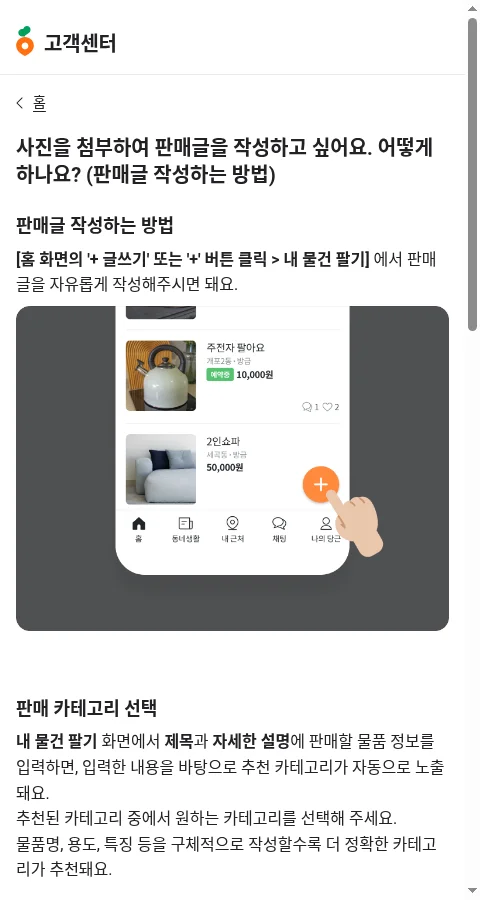
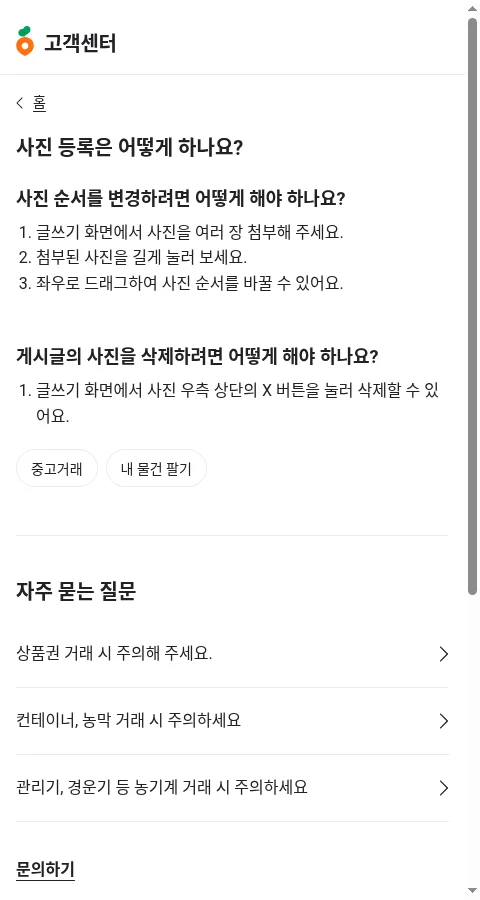
Photo limit: The maximum number of photos for a used-goods post could not be verified in the official help center. (Other features, such as news posts and ad intro photos, list a 10-photo max.) Check in the app.
Upload fails? (official FAQ): turn off HEIC/HEIF and reshoot, try LTE instead of Wi-Fi, enable automatic date/time, enable storage permission.
3. Phone photo tips you can use today
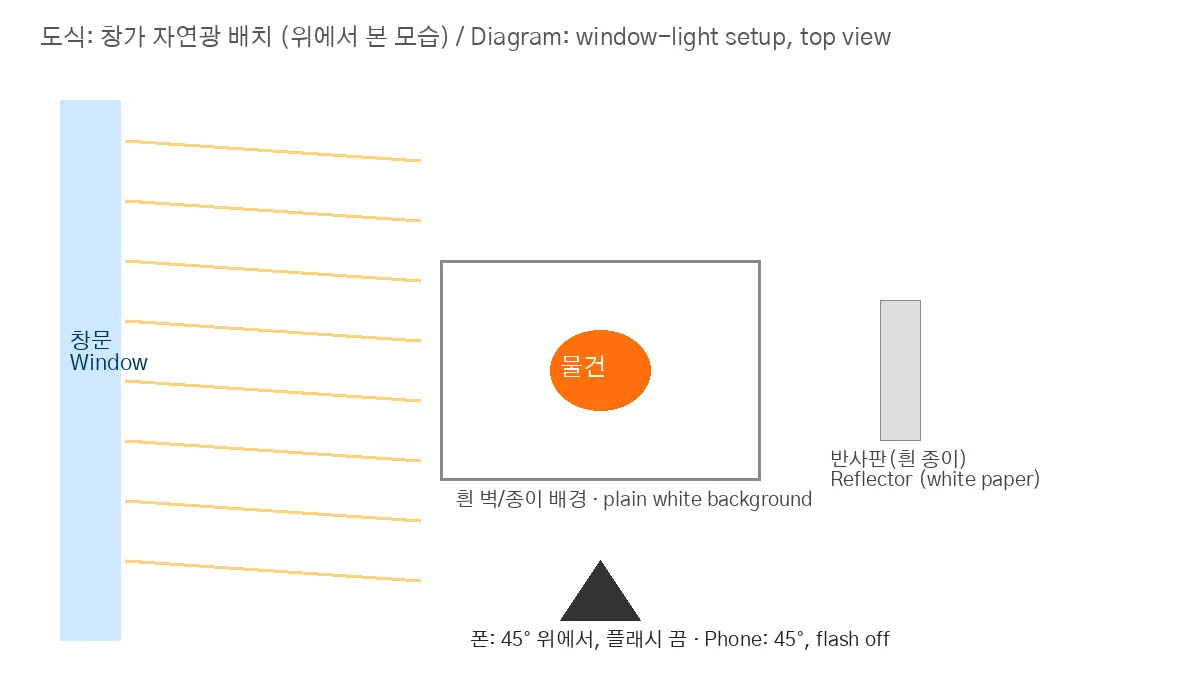
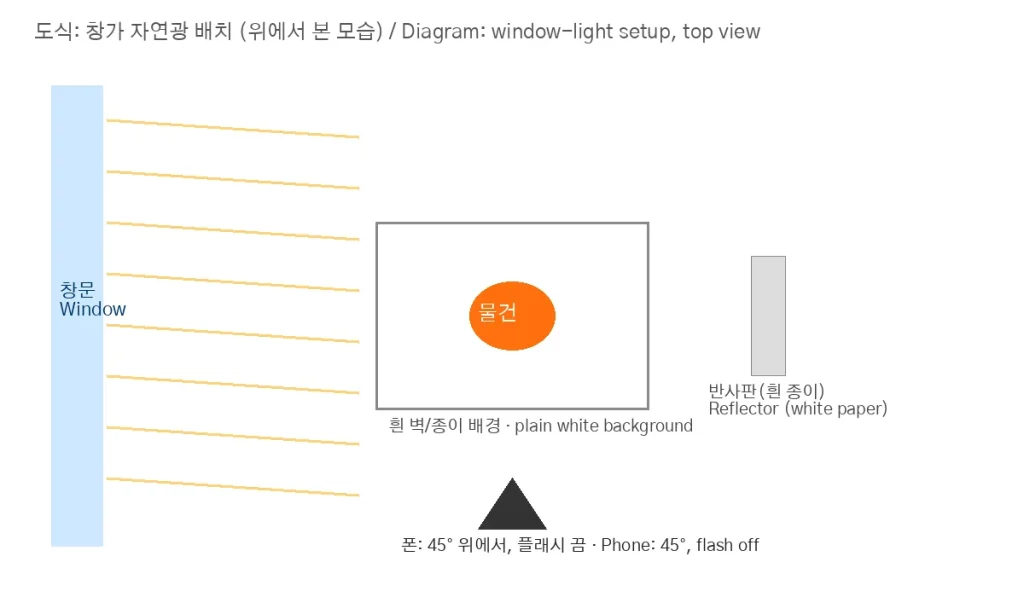
An illustration I made, not a real listing.
Light
– Shoot by a window in daytime; soft light through a curtain beats harsh sun.
– Flash off. It causes glare and hard shadows.
– Prop white paper on the shadow side as a reflector.
– Don’t mix warm room lights with daylight.
Background
– Plain white wall, paper, clean floor, or bedsheet.
– Keep clutter, laundry, faces, shipping labels, addresses, and window views out of frame.
Angles (shoot in this order)
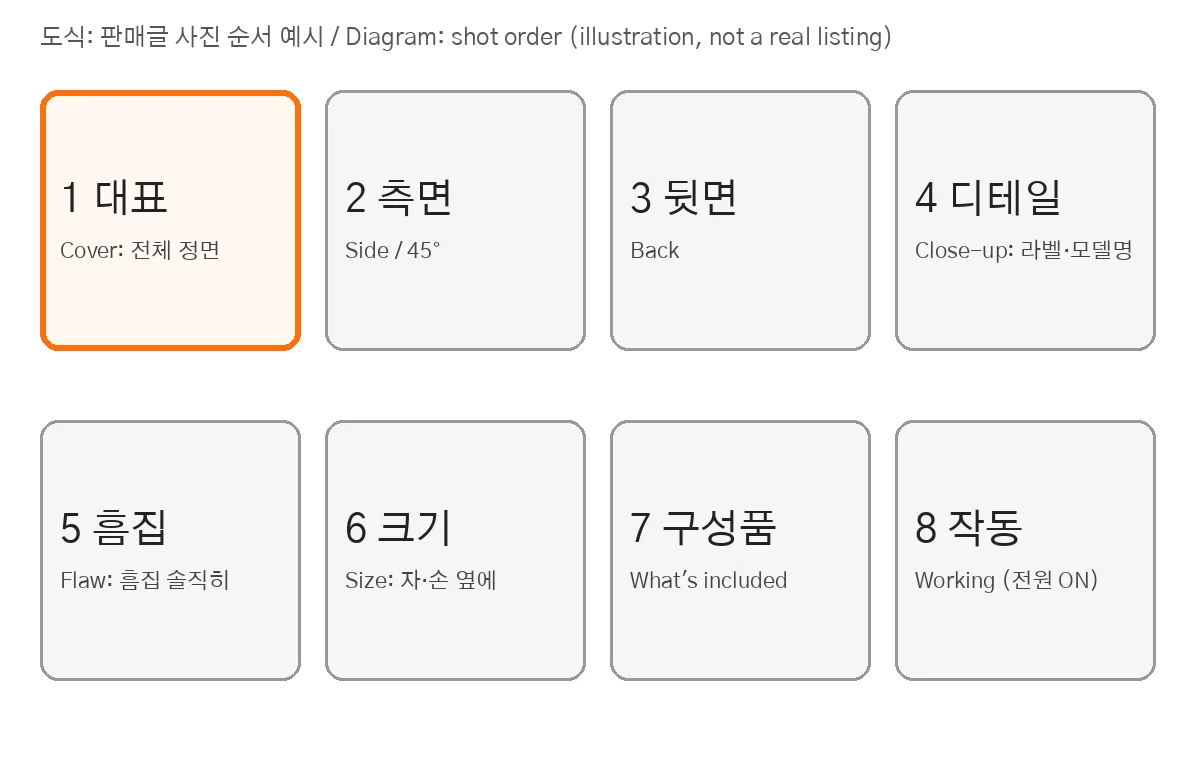
An illustration I made.
- Cover: whole item, straight on, filling the frame
- Side / 45°
- Back / bottom
- Details: model label, logo, size tag
- Flaws: close and honest
- Size reference: ruler, tape, hand, or A4 sheet
- Everything included (box, charger, manual)
- Electronics: powered on
Show flaws. It reduces disputes at pickup; Danggeun defines disputes as “misunderstandings or arguments about the product.” Note location and size in text too (“2 mm dent, left corner”).
Cover photo. It’s what people see in the feed: one item, bright, straight. Avoid text overlays, heavy filters, or web images; your own real photo builds trust.
4. Title and price
- Title:
brand + model + key condition. - Specific text gives more accurate category suggestions (official FAQ).
- Price: Danggeun doesn’t set prices (official FAQ). Search similar local items first. If reselling something bought on Danggeun, the FAQ asks you to price at or below what you paid.
- In the description: when bought, how long used, flaws, preferred meet place/time.
5. Trade safely (official guidance)
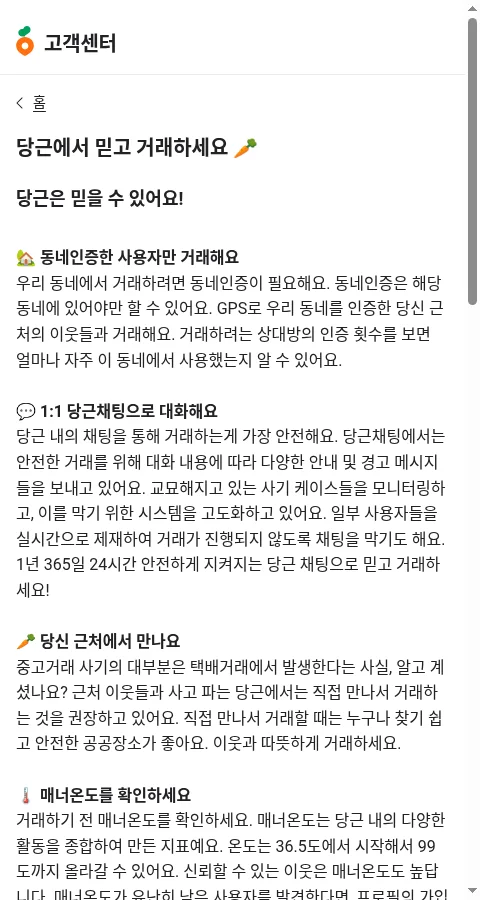
- Keep talks in Danggeun chat; be wary of moving to phone/KakaoTalk/open chat.
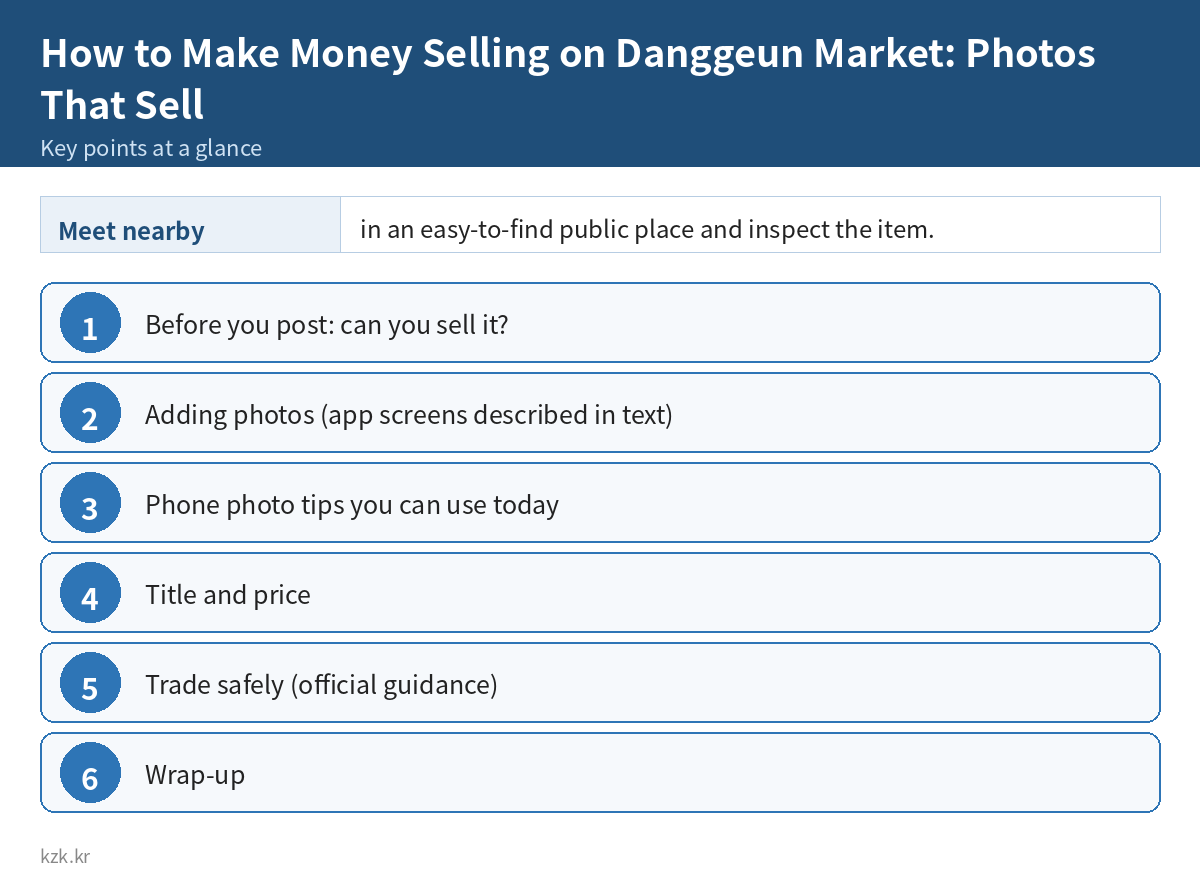
- Meet nearby in an easy-to-find public place and inspect the item.
- Check the other person’s manner temperature, join date, verification count, reviews.
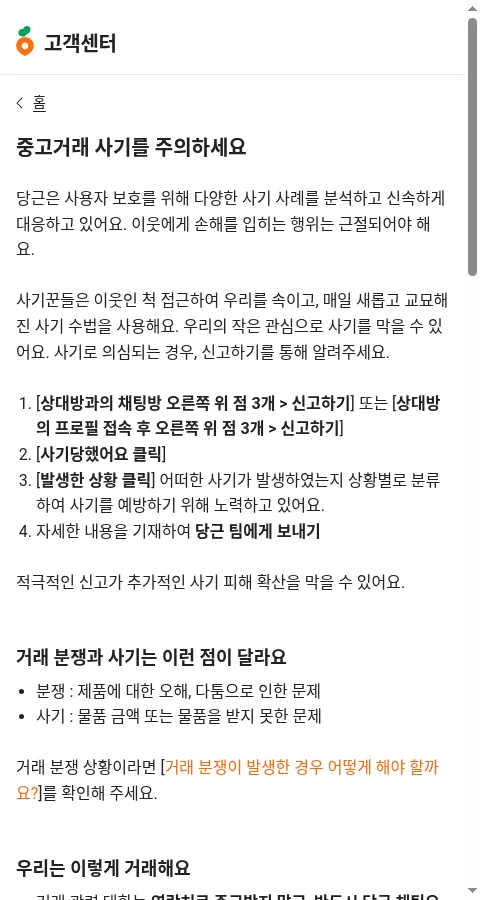
- If you must transfer money, use chat menu (⋮) → 사기이력 조회하기 (fraud history check) on the account/phone number.
- Watch for fake “safe payment” links, prepayment requests, split account numbers, proxy-selling jobs, and three-party scams.
- Report via the chat’s top-right menu → 신고하기.
Common mistakes
- Dim room + flash
- Several items in the cover photo
- Hiding flaws → disputes
- No size reference → repeated “how big?” questions
- Address, label, or family faces in shots
- Reposting the same listing (the help center lists “duplicate post hidden” as an FAQ)
- Listing banned items
Checklist
- ☐ Not a banned item
- ☐ Daylight, window, flash off
- ☐ Plain background
- ☐ Cover: one item, straight, full frame
- ☐ Side, back, label, flaw, size, contents shots
- ☐ No personal info in frame
- ☐ Title: brand, model, condition
- ☐ Price checked against local listings
- ☐ Chat in-app, meet in person
Wrap-up
Changing a few photos makes a post much clearer. To learn more about small-scale side income and content creation, take a look at kzk.kr Premium.
FAQ
Is How to Make Money Selling on Danggeun Market: Photos That Sell a legit way to make money?
Yes, it is legal and used worldwide. Written on 2026-10-26 after checking Danggeun's official help center. Better photos make listings easier to understand; they don't promise a sale. App screens may change. Screenshots show the Korean help center. Results depend on your time, skills and consistency; never pay upfront fees to unknown "opportunities".
What are the main pros and cons of How to Make Money Selling on Danggeun Market: Photos That Sell?
Pros: Anyone with unused items and only a phone, Sellers whose posts get few chats, People who want to try it today with no gear. Cons: Title: brand + model + key condition., Specific text gives more accurate category suggestions (official FAQ)., Price: Danggeun doesn't set prices (official FAQ). Search similar local items first. If reselling something bought on Danggeun, the FAQ asks you to price at or below what you paid., In the description: when bought, how long used, flaws, preferred meet place/time..
How do I start How to Make Money Selling on Danggeun Market: Photos That Sell step by step?
The full step-by-step guide is free to read on this page.
🎁 Free: 7-day side-hustle starter checklist
Leave your email and get the free checklist now. No spam, unsubscribe anytime.
Popular guides
- Top 10 Ways to Make Money Starting This Week (Free Checklist)
- How to Make Money as a Student: Legit Ideas (2026)
- Passive Income Ideas: Realistic Options for 2026
- Make Money Online Without Investment: 20 Free Ways
- How to Make Money with AI: 50 Practical Ways (2026)
- How to Make Money From Home: 20 Legit Ways
- Make Money Online for Beginners: 15 Easy Ways to Start
- How to Make Money as a Mom: 16 Flexible Ideas (Work Around Nap Time)
- 16 Legit Ways to Make Money Fast (This Week)
- How to Make Money as a Teenager: 16 Safe Ideas
- 14 Remote Jobs With No Experience Needed
Next method: How to Make Money with Coupang Partners: Your First Affiliate Link →