Path
Contents
Written on 2026-10-26 after checking Danggeun’s public web search pages. Prices in the screenshots are real listings at capture time, shown only as examples, not recommended prices. Bunjang and in-app screens could not be captured and are described in text. Nothing here promises income.
Any prices in this guide are real listings shown as examples only, not recommended prices.
Who this is for
- First-time sellers on Korean secondhand apps
- People who are never sure what price to list
- People who sell too cheap, or whose items sit unsold
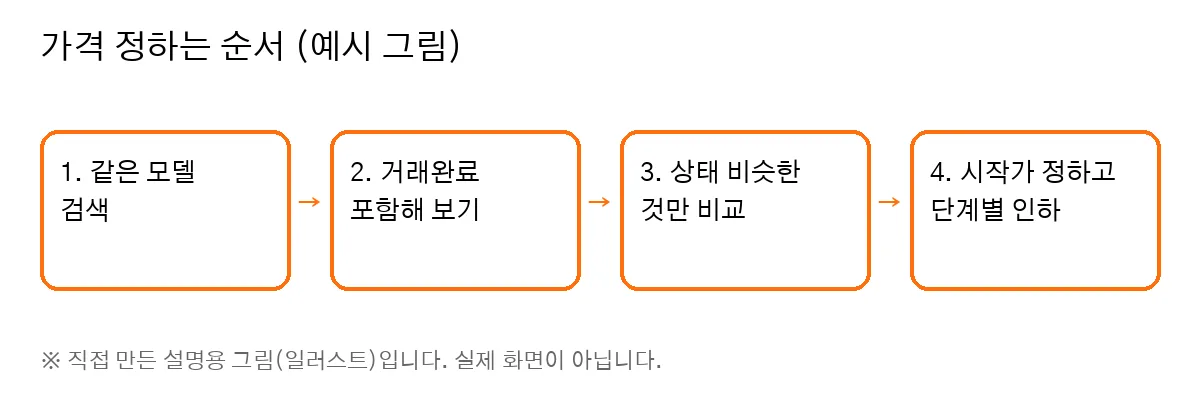
Self-made illustration, not a real screen.
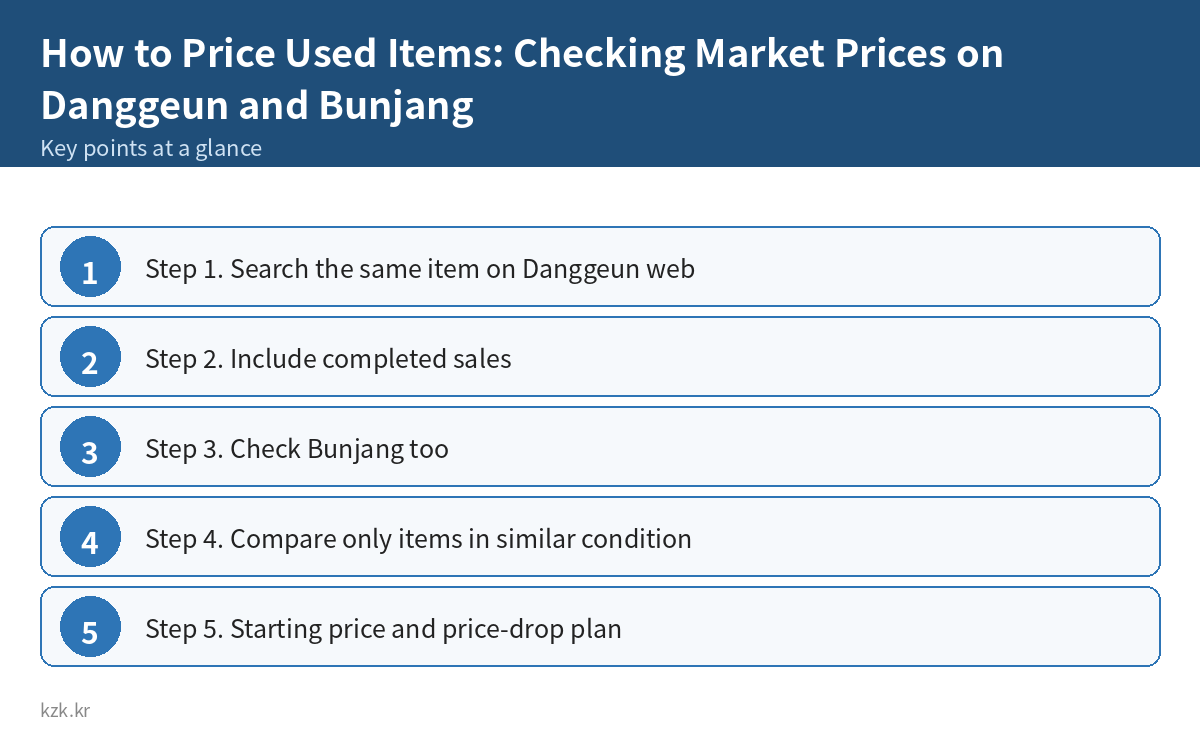
Step 1. Search the same item on Danggeun web
- Open Danggeun web (daangn.com) in a browser. You can search without logging in.
- Type the full model name, e.g. “AirPods Pro 2nd gen”, not just “AirPods”.
- Results show price, neighborhood and posting time.
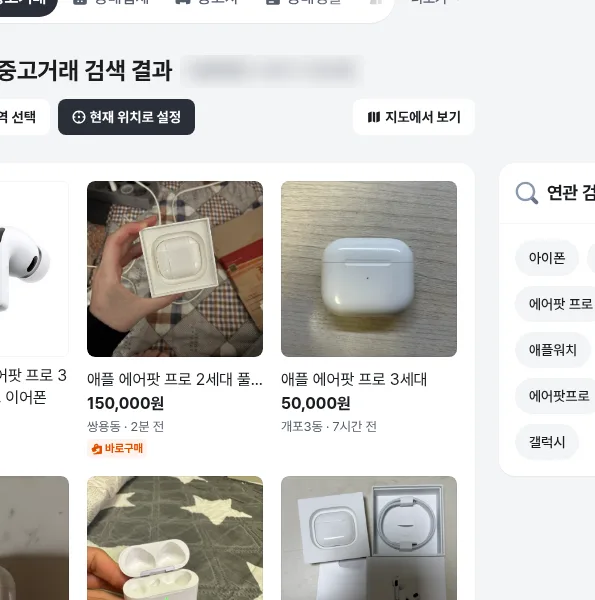
Public Danggeun search page. Prices are real listings at capture time, shown as examples only.
- “끌올” means the seller bumped the post back to the top. Many bumps can mean it isn’t selling at that price.
- Tiles marked “광고” (ad) are not secondhand listings. Leave them out.
Step 2. Include completed sales
Listed prices are asking prices. Completed (거래완료) posts are closer to what things actually sell for.
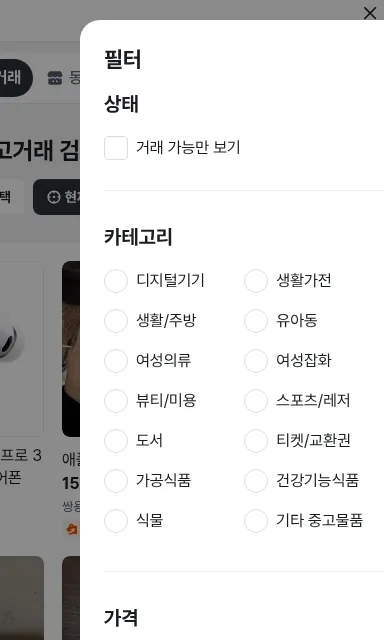
1. Tap 필터 (Filter) on the results page.
2. Find 상태 (Status) → “거래 가능만 보기” (show available only).
3. Leave it unchecked to include completed posts. Check it to see only items still for sale.
📝 Logged-in screen (text description)
In the Danggeun app you can also choose, in the search filter, whether to include completed posts. Menu names and placement may differ by app version.
Step 3. Check Bunjang too
- Search the same model name in the Bunjang app or website.
- If there is an option to include sold items, turn it on and look at the sold price range.
- If the two apps differ, use the prices on the app where you will sell.
📝 Note (text)
From our capture environment, Bunjang’s Korean site redirected to its global site, so we could not take a screenshot. Please check Bunjang’s menu names (such as a sold-items view) in the app yourself.
Step 4. Compare only items in similar condition
Match these before comparing:
– Same model, generation, capacity
– Sealed / opened only / used
– Full box or unit only
– Scratches, battery health, repair history
– Remaining warranty
Step 5. Starting price and price-drop plan
- Use roughly the middle of the completed-sale prices as your reference.
- You may start a little above it. There is no fixed rule for how much.
- If there is no interest or chat after a few days, lower it a little.
- Several small drops are easier to compare than one big drop.
- Before dropping, try better photos and a clearer description first.
Common mistakes
- Pricing from asking prices only
- Searching without the model name
- Comparing against ads or new-item prices
- Not mentioning missing parts → haggling or disputes
- Changing the price too often or too much
Checklist
- ☐ Searched with the full model name
- ☐ Turned off “show available only” and checked completed posts
- ☐ Compared only similar condition and contents
- ☐ Ignored ad tiles
- ☐ Set a starting price and drop plan
- ☐ Improved photos and description first
For better listing photos, see our Danggeun photo tips guide.
Want more practical side-hustle guides? Take a look when you have time → kzk Premium
FAQ
Is How to Price Used Items: Checking Market Prices on Danggeun and Bunjang a legit way to make money?
Yes, it is legal and used worldwide. Written on 2026-10-26 after checking Danggeun's public web search pages. Prices in the screenshots are real listings at capture time, shown only as examples, not recommended prices. Bunjang and in-app screens could not be captured and are described in text. Nothing here promises income. Results depend on your time, skills and consistency; never pay upfront fees to unknown "opportunities".
What are the main pros and cons of How to Price Used Items: Checking Market Prices on Danggeun and Bunjang?
Pros: First-time sellers on Korean secondhand apps, People who are never sure what price to list, People who sell too cheap, or whose items sit unsold. Cons: "끌올" means the seller bumped the post back to the top. Many bumps can mean it isn't selling at that price., Tiles marked "광고" (ad) are not secondhand listings. Leave them out..
How do I start How to Price Used Items: Checking Market Prices on Danggeun and Bunjang step by step?
The full step-by-step guide is free to read on this page.
🎁 Free: 7-day side-hustle starter checklist
Leave your email and get the free checklist now. No spam, unsubscribe anytime.
Popular guides
- Top 10 Ways to Make Money Starting This Week (Free Checklist)
- How to Make Money as a Student: Legit Ideas (2026)
- Passive Income Ideas: Realistic Options for 2026
- Make Money Online Without Investment: 20 Free Ways
- How to Make Money with AI: 50 Practical Ways (2026)
- How to Make Money From Home: 20 Legit Ways
- Make Money Online for Beginners: 15 Easy Ways to Start
- How to Make Money as a Mom: 16 Flexible Ideas (Work Around Nap Time)
- 16 Legit Ways to Make Money Fast (This Week)
- How to Make Money as a Teenager: 16 Safe Ideas
- 14 Remote Jobs With No Experience Needed
Next method: How to Make Money with Toss App-Tech: What's Worth Using →