Path
Contents
If you earn from several places (blog ads, selling used items, reward apps, freelance work), it is easy to lose track. This side-income ledger template is an Excel file that keeps income and costs in one place and totals each month automatically.
⬇️ Download the free Excel template (.xlsx)
What’s inside
- One Excel file (
side-income-ledger-template-ko.xlsx, Korean labels), 4 sheets: How to use, Income, Expenses (with O/X “work-related” picker), Monthly Summary (auto totals for Jan–Dec). - Opens in Excel, Google Sheets and Hancell.
Who is it for?
- Anyone with 2+ income sources
- Anyone who struggled to find numbers at May tax-filing time
Cost and time
Free. 10 minutes to set up, then 5 minutes a day.
How much does it help? (estimate)
A ledger doesn’t earn money by itself. But catching missed income and costs, and focusing on the sources that pay best for your time, can make a difference of roughly tens to hundreds of thousands of won a year (estimate). Results vary from person to person.
Want to compare many ways to make money side by side? See our.
Step by step
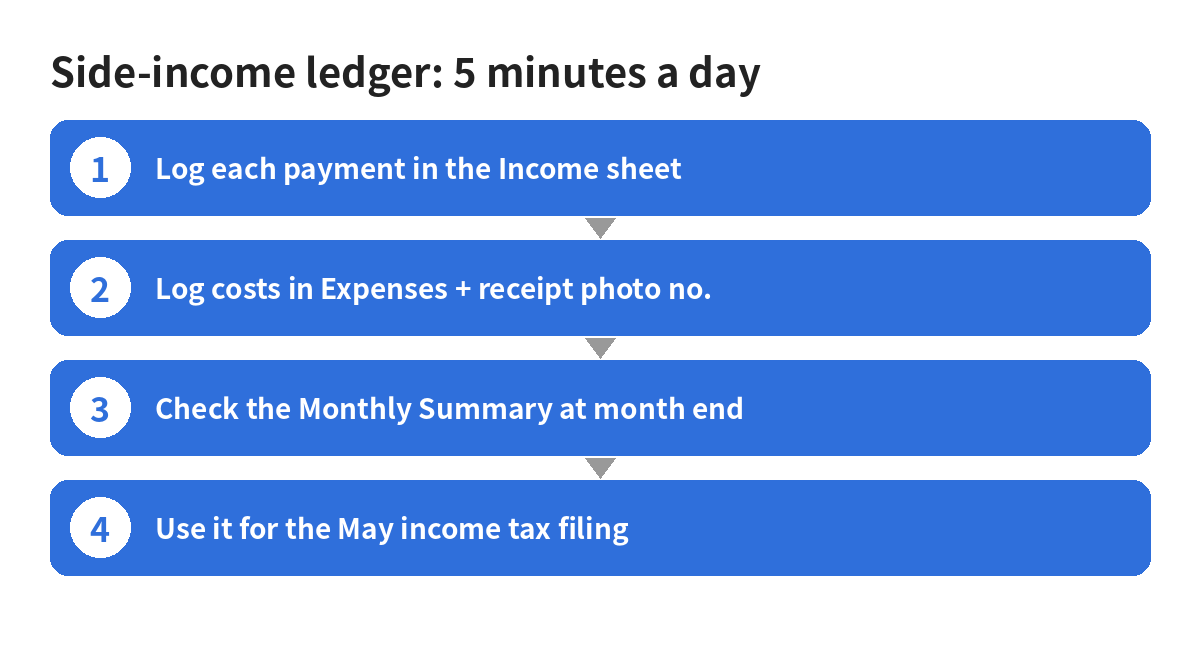
- Set up (10 min): rename the file, optionally upload to Google Drive and open with Google Sheets, delete the grey sample rows.
- Log income (1 min): write dates as 2026-11-03 so the summary works. Enter the amount before tax, and the withheld tax separately. Save a screenshot of the payout page and note its file name.
- Log costs (1 min): photograph receipts, number them R-001…, mark work-related O or X. Only O is totalled.
- Month-end check (5 min): see income, tax, work costs and what’s left; decide where to focus next month.
- May filing: Korea’s income tax return is usually filed May 1–31 on Hometax. Compare Hometax’s payment statements with your ledger. Ask the National Tax Service (126) about your own case. This file is a record, not tax advice.
First-week plan
| Day | Task |
|---|---|
| 1 | Set up the file; list your income sources |
| 2 | Copy this year’s payments from bank/app records |
| 3 | Sort and number receipts |
| 4–6 | Log every new payment and cost the same day |
| 7 | Check the summary; set next month’s goal |
Common mistakes
Writing dates like 11/3; logging only after-tax amounts; keeping no proof; marking personal spending as work costs; logging once a month.
Watch out for these scams
Some sellers push expensive “side-income software” or bookkeeping services and ask for your Hometax password or digital certificate, or promise tax refunds for large fees. Never hand over Hometax logins or certificates; ask official channels like 126.
Want to run Easier to Track with a Side-Income Ledger Template as a 30-day plan? The PDF guide (one-time .99) compares 30 methods with steps and income estimates. All steps above stay free.
See full guide →FAQ
Is How to Make Money Easier to Track with a Side-Income Ledger Template: Free Excel File + 5 Minutes a Day (2026) a legit way to make money?
Yes, it is legal and used worldwide. If you earn from several places (blog ads, selling used items, reward apps, freelance work), it is easy to lose track. This side-income ledger template is an Excel file that keeps income and costs in one place and totals each month automatically. Results depend on your time, skills and consistency; never pay upfront fees to unknown "opportunities".
What are the main pros and cons of How to Make Money Easier to Track with a Side-Income Ledger Template: Free Excel File + 5 Minutes a Day (2026)?
Pros: One Excel file (side-income-ledger-template-ko.xlsx, Korean labels), 4 sheets: How to use, Income, Expenses (with O/X "work-related" picker), Monthly Summary (auto totals for Jan–Dec)., Opens in Excel, Google Sheets and Hancell.. Cons: Anyone with 2+ income sources, Anyone who struggled to find numbers at May tax-filing time.
How do I start How to Make Money Easier to Track with a Side-Income Ledger Template: Free Excel File + 5 Minutes a Day (2026) step by step?
The full step-by-step guide is free to read on this page.
🎁 Free: 7-day side-hustle starter checklist
Leave your email and get the free checklist now. No spam, unsubscribe anytime.
Popular guides
- Top 10 Ways to Make Money Starting This Week (Free Checklist)
- How to Make Money as a Student: Legit Ideas (2026)
- Passive Income Ideas: Realistic Options for 2026
- Make Money Online Without Investment: 20 Free Ways
- How to Make Money with AI: 50 Practical Ways (2026)
- How to Make Money From Home: 20 Legit Ways
- Make Money Online for Beginners: 15 Easy Ways to Start
- How to Make Money as a Mom: 16 Flexible Ideas (Work Around Nap Time)
- 16 Legit Ways to Make Money Fast (This Week)
- How to Make Money as a Teenager: 16 Safe Ideas
- 14 Remote Jobs With No Experience Needed
Next method: How to Make Money with Blog Review Campaigns in Korea: From Applying to the Review Deadline (2026) →